
How to Log In to Startup India Registration: Your Complete Step-by-Step Guide
CA Shivam Gupta
Feb 10, 2026
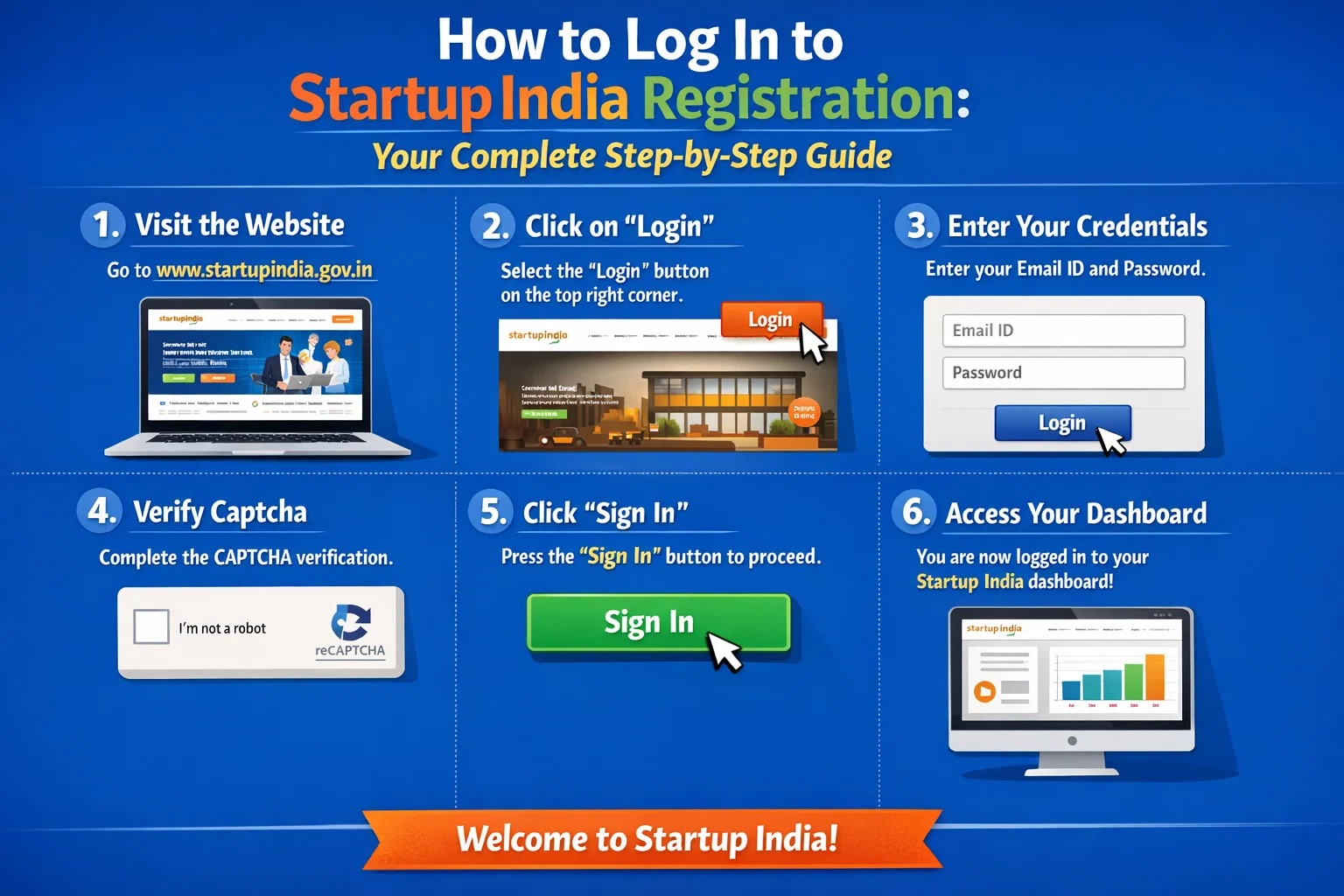
If you are an entrepreneur or startup founder in India, understanding the Startup India login process is essential. Whether you want to apply for DPIIT recognition, track benefits, or access government schemes, you must know how to log in to Startup India correctly.
This complete guide explains everything about Startup India registration login, Startup India portal login, and accessing the Startup India dashboard login, with step-by-step instructions and image placement suggestions.
The Startup India portal is an official government platform launched under the Startup India Initiative. After completing registration, founders can use the Startup India portal login to:
Apply for DPIIT recognition
Access tax exemptions and funding schemes
Participate in government tenders
Track application status
Manage startup profile via the Startup India dashboard login
Requirements Before Startup India Login
Before proceeding with Startup India registration login, keep the following ready:
Registered email ID or mobile number
Startup India login password
Active internet connection
Without successful registration, Startup India login is not possible.
Startup India Registration Login: How to Sign In to the Official PortalStep 1: Visit the Official Startup India Website
Open your browser and go to the official Startup India website to begin the Startup India portal login process.
Step 2: Click on “Login”
On the top-right side of the homepage, click on Login to start your Startup India registration login.
Step 3: Select Startup India Login Method
You can log in using:
Email ID & Password
Mobile Number & Password
DPIIT credentials (if applicable)
Choose the same option you used during registration to avoid Startup India login errors.

Step 4: Enter Login Credentials
Enter your:
Registered email or mobile number
Password
Click Login to access your account.
Step 5: Access Startup India Dashboard Login
After successful verification, you will be redirected to your Startup India dashboard login, where you can:
Apply for DPIIT recognition
Check approval status
Access benefits & schemes
Update startup details
How to Log In to Startup India Using OTP
If available, you can also use OTP-based Startup India login:
Enter registered mobile number
Receive OTP
Verify OTP
Access Startup India dashboard login
This method is useful if you forget your password.
Forgot Password for Startup India Registration Login?
If you cannot access your account:
Click Forgot Password on the Startup India portal login page
Enter registered email or mobile number
Verify OTP or email link
Reset password
Log in again
Common Startup India Login Problems & Solutions❌ Incorrect Credentials
✅ Reset password and retry Startup India registration login
❌ OTP Not Received
✅ Check network or try email-based Startup India login
❌ Account Not Found
✅ Ensure Startup India registration is completed
❌ Portal Not Opening
✅ Clear cache or try a different browser
Benefits of Startup India Dashboard Login
Once you successfully complete Startup India portal login, you can:

Apply for DPIIT recognition
Claim tax benefits under Section 80-IAC
Access government funding schemes
Participate in startup challenges
Track all applications from one dashboard
FAQs: Startup India Registration Login
Q1. Is Startup India login free?
Yes, Startup India registration login is completely free.
Q2. Can I log in without DPIIT recognition?
Yes, you can access the Startup India dashboard login after registration and apply for DPIIT later.
Q3. Can I change my email or mobile number after login?
Yes, changes can be made inside the Startup India dashboard.
Q4. Is Startup India portal login available on mobile?
Yes, you can log in using a mobile browser or official app.
Conclusion
Understanding how to log in to Startup India is the first step toward unlocking government benefits for your startup. With proper Startup India registration login, founders gain access to funding, tax exemptions, and growth opportunities through the Startup India dashboard login.
Make sure you regularly log in to the Startup India portal to stay updated with new schemes and approvals.
Startup Registration Support Number for India
Our Startup Registration Support Number, +91 63956 22281, is available to help you register your startup smoothly and legally.