
GST Website Not Working? Reasons, Error Codes, and Quick Fix Solutions for Taxpayers
CA Rahul
Feb 23, 2026
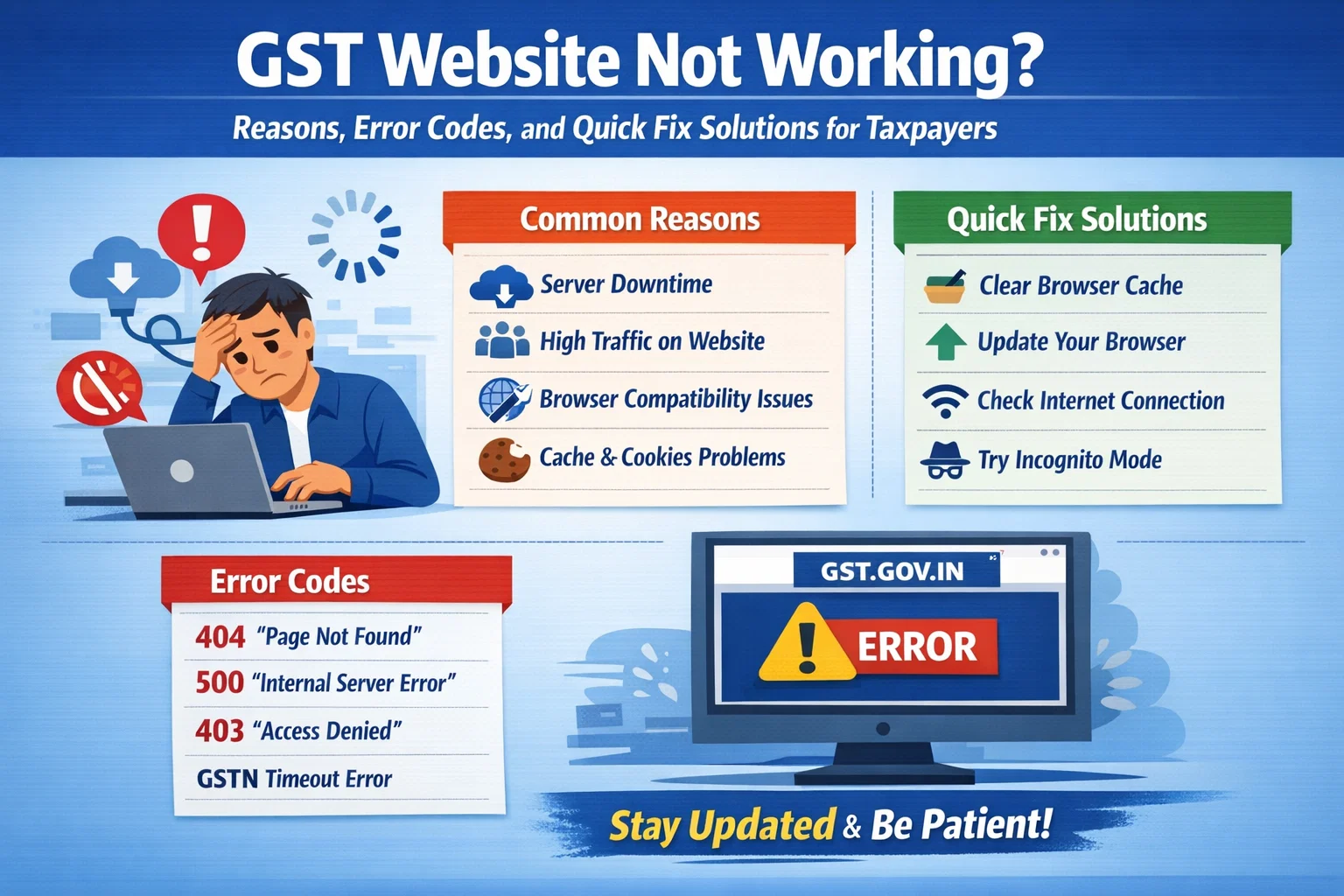
You may just want to use the GST portal, but it fails to work when you need it the most. You’re not alone. Each peak season, lakhs of taxpayers and businesses experience slow loading pages, failure to log in, long OTP delays, or even a system crash. Technical glitches just before a deadline increase the stress levels rapidly when the GST has registered over 1.4 crores businesses in India, and the businesses depend on the system as they must meet their compliance on time.
But why do these interferences continue to occur? More to the point, what are you supposed to do when you are unable to retrieve your returns, submit the GSTR forms or even do other vital filings?
It is a guide that details the most likely causes of GST portal problems, and provides real-life, practical solutions that can help you stay on track, lessen stress and meet a deadline comfortably in case of unexpected technical hitches.
So, what are you waiting for, explore this guide quickly.
Why is the GST Portal not working today ?
In case you are finding it hard to get the GST portal to open, you are not the only one. Sudden access problems afflict many businesses, particularly when the deadline is almost at hand. A glitch at the time of logins, the inability to submit a form, and so on are disruptive and can slow down the compliance process, as well as cause needless pressure.
Knowing the underlying causes can make you more of a faster problem solver and not panic at the last minute. The most popular causes of portal problems are presented below in a simple and practical manner.
Browser/Device Compatibility Problems
The issue is sometimes not the portal with which you are browsing or working. Old Browser, malfunctioning cache files, or incompatible extensions may not allow loading pages correctly. These technical mismatches are causing blank screens or frozen dashboards for users, or an ongoing GST login problem.
How to Fix It:
- Empty browser settings.
- Attempt to open the portal in private/incognito.
- Test accessibility by switching browsers or devices.
- Turn off the extensions in the browsers.
Heavy Traffic on the Portal
The GST portal is subjected to substantial peaks in its use near the deadline for returns. The system can slow down or free up when thousands of users are logging in and uploading invoices concurrently. It may cause a time-out, unsuccessful submissions or a gst portal error today on your screen.
What You Can Do:
- Do not use peak periods (late evenings and deadline days).
- File submits some days before the deadline date.
- File your work every now and then.
- Retain screenshots of mistakes.
- A pre-planned schedule would go a long way in removing the last-minute access.
Internet Connectivity Problems
Any sluggish or unreliable internet connection may cut off data uploads and web form submissions. This frequently manifests itself in the form of missing filings or page reloads, a frustrating GST return filing issue despite the portal itself being responsive.
Quick Checks:
- Make sure to reboot the router or switch networks.
- Being on unstable Wi-Fi is not advisable.
- Several heavy downloads should not be made when filing returns.
- Make sure that your mobile hotspot is well-connected.
- Constant connectivity is a major factor in seamless conformity.
Planned Maintenance or Technical Upgrades
The GST portal is also subjected to regular maintenance and system upgrades in order to enhance security and performance. In such intervals, users can receive alerts about maintenance or even temporary downtime.
Although maintenance improves the long-term performance, it may interfere with short-term access. They should always look to see if there is an official announcement of a system failure before they make such an assumption.
Knowing the GST Error Codes and their resolutions
The error codes just pop up on your display when you are filing the returns or changing the details on the GST portal. These codes are not randomly coded messages that are generated by the system, and can tell precisely where the process went wrong. To avoid panicking, it is better to know what these codes mean because they might save you time on a time-saving mission.
The following are some of the typical GST errors and the information they normally represent:
- Error related to logins - These are errors that occur when the credentials are improper, or the session expires, or OTP validation does not work.
- DSC (Digital Signature Certificate) errors are mostly triggered when the DSC token is not well-connected or registered.
- Form validation errors: Arise when required fields are not filled, or the information does not get similar to the government records.
- Authorization errors - appear when the signatory that is selected does not correspond with the registered information.
Every mistake message leads to a particular correction. Read the code and description on display with care and then repeat.
Basic Troubleshooting Checklist
These are some of the basic steps to be tried before contacting support:
- Restart your device
- Switch to another browser
- Check your internet speed
- Use another device and see whether it can connect.
- Clear cache and cookies
- Wait and re-try after waiting a little.
- These procedures address the majority of the transient technical problems.
Problem with the GST Portal Not Working? How to fix it?
We have explained some of the solutions to solve the problem of GST portal not working issue.
Check whether the GST Server Is Down
You should also ensure that the problem is not widespread before troubleshooting your device. Occasionally, the gst server down experience can be experienced by users nationwide because of the traffic congestion, technical hitches, or planned upgrades.
What to do to fix the GST portal not working problem?
- Check official GST social media pages to be updated.
- Check out Internet outage monitors.
- Ask other co-workers whether they have a similar problem.
In the event that it is a server-side issue, then you will have to wait till service is reinstated.
Repair Browser-Related Issues
In case the gst website not opening only on your device, the problem may be with your browser. This is because of the conflict between cookies and the updated site settings, and frequently, the conflict between the cookies and cached files.
Quick Fix:
- Clear cookies and browser caches.
- Get the most current version of your browser.
- Try the portal in the incognito/private mode.
- Change browsers (Chrome, Edge, Firefox).
- A very high percentage of the user complaints are solved by these little steps.
Confirm Internet Stability
A weak or limited connection may make it impossible to access the portal. In most instances, the failure to get access to the login is a result of slow speed or firewall limitations.
In case the gst portal is taking too long to load, then try:
- Restart your router.
- Changing Wi-Fi network or mobile hotspot.
- During this time the VPN services are disabled.
- Inspecting firewall/antivirus settings.
- There are no interruptions, and smooth access is guaranteed by the stable internet.
Look For Maintenance Announcements
Sometimes you might see gst website down today because it is being taken down for maintenance or the system is being upgraded. Such updates are normally posted on the official portal beforehand.
Tip:
Go to the GST homepage or official notifications to verify whether maintenance is underway or not. Yes, then wait until the maintenance window is finished.
Diagnose and fix Logging Problems in Minutes
In case of a gst login error message, it can be connected with wrong credentials or timeouts.
Steps to Fix:
- Check up on your username and password.
- Change password (where necessary).
- Make sure that you have a valid and updated DSC (Digital Signature Certificate).
- Clear browser cache and re-attempt to log-in.
- Do not keep making several logins in a short period.
In case the issue still persists, then contemplate increasing a ticket via the GST helpdesk.
Conclusion
Any failure of the GST portal is likely to be anxiety-inducing during the approach of deadlines. Nevertheless, the majority of the issues are temporary and can be related to browser issues, traffic jams, and network problems. With the knowledge of GST error codes and simple troubleshooting techniques, you can fix a lot of problems by yourself.
In case the problem has not been resolved despite exhausting all possible solutions, then contact the official GST helpdesk. The most effective way of dealing with challenges that are based on the portal is to remain composed and educated.
Frequently Asked QuestionsWhat is wrong with the GST portal ?
This may be because of browser compatibility, internet instability, or the portal has a lot of traffic. Before assuming a system failure, make an attempt to clear your browser cache and change networks.
What can I do to correct the logging in problems on the GST portal?
Check your credentials twice, change your password where necessary and make sure to insert your OTP within the time frame.
What do I do in case the portal is very slow?
It is best to avoid peak time, change to a steady internet connection, and also make sure that no downloads are being done in the background.
Does it imply that GST portal problems are server-based?
Yes, in times of heavy traffic or planned maintenance, the portal may become slower or be restricted. Waiting and trying again is, in most cases, effective in addressing or solving the problem.
GST Registration Support Number for India
Our GST Registration Support Number, +91 63956 22281, is available to help you register your startup smoothly and legally.